Hiển thị các bài đăng có nhãn YouTube. Hiển thị tất cả bài đăng

Thứ Hai, 29 tháng 10, 2018

Youtube channel ka name kya rakhe kaise choose kare ek perfect name


Youtube channel ke liye ek unique name rakhna bahut jaruri hota hai kyunki aapke youtube channe Etc
a name bahut mayne rakhta hai isliye bahut hi jyada jaruri hai ki apne youtube channel ka name bikul unique rakhe, aur bahut se log toh jan boojhkar apne youtube channel ka name galat rakh dete hain .

Hame apne youtube channel ke liye aisa unique name rakhna chahiye jo ki hamare videos ko jyada

Chủ Nhật, 28 tháng 10, 2018

Video banakar youtube se paise kaise kamaye in hindi


Aaj youtube ek itna big brand ban chuka hai ki aap soch nahi sakate hai, na jane kitne logo ki roji roti sirf youtube hi hai, na jane kitne log youtube se hi paise kamakar karodpati / arabpati ban gaye hain toh aakhir aap youtube se paise kamane me kyun peeche hain .

Youtube ek worldwide website hai jiske bare me baccha baccha janta hai aur unhi logo me se bahut se log aisi hain jinhone youtube

Thứ Bảy, 13 tháng 10, 2018

Sucessful youtuber kaise bane ? How to become a successful youtuber ?


Har kisi ki ye iccha hoti hai ki woh ek successful youtuber bane kyunki aapko toh pata hoga hi ki successful youtuber ban jane ke bad mauj hi mauj hoti hai, lekin aapko ye bhi pata hoga ki starting me hi koi bhi insan successfull nahi ho jata hai, starting me toh har kisi ko sangharsh karna hi padta hai bhale hi chahe woh aap ho ya main bas fark sirf itna hota hai ki jinke paas blogs wgaira hai

Thứ Tư, 10 tháng 10, 2018

Youtube channel par views aur subscriber kaise badhaye


Jab hamare youtube channel par subscriber aur views badhne lagte hain toh hamare liye bahut khusi ki bat hoti hai lekin hamare YouTube channel par subscriber aur views kab badhenge, har ek new youtuber ka yahi question hota hai lekin problem ye hoti hai ki hum apne YouTube channel par video upload karte hain lekin phir na toh views aur na hi subscriber badhte hain .

Aise me bahut log yoh

Thứ Sáu, 28 tháng 9, 2018

Youtube channel ka name kaise change kare, channel ka naam kaise badle


Almost bahut se logo ko apne youtube channel ka name / naam change karna padta hai kyunki jab koi bhi apna youtube channel banata hai toh uska youtube channel uske email id ke name par ban jata hai, lagbhag bahut se log toh apne name par hi apna youtube channel chalate hain .


Whatsapp chat background kaise change kare

Ek phone me do whatsapp kaise chalaye

Twitter par accoumt kaise banaye

Chủ Nhật, 16 tháng 9, 2018

Youtube ke jariye maximum paise kaise kamaye in hindi ?


Waise toh aisa koi shortcut nahi hai jisse hum kuch hi dino me bahut jyada paise kamane lage lekin yadi hum thoda reserach kare thoda apne mind ka use kare toh kam se kam samay me bhi bahut acchi income ki ja sakati hai . ji han main bat kar raha hoon youtube se kam se kam samay me jyada paise kamane ki bat .


Waise toh youtube par hum songs ke videos upload karke bahut paise kama sakate

Thứ Hai, 27 tháng 8, 2018

Video banakar paise kaise kamaye ? how to make money by making video?


Bahut log aise bhi honge jinhe yeh kabhi yakeen nahi hoga ki hum aap video banakar bhi paise kaise kama sakate, aur koi yeh jaruri nahi hai ki aap jo video banaye woh bilkul movie ki tarah lagati ho balki aap yadi kisi bhi tarah ke video {legal} bana sakate hain toh aap ghar baithe hi aapko kahi jana bhi nahi hoga ji han aapne bilkul sahi suna aaj aap is article me jan jayenge ki video

Thứ Hai, 9 tháng 7, 2018

Youtube se video kaise download kare ? download video from YouTube


आज कोई भी ऐसा internet user नहीं है जोकि youtube के बारे में न जानता हो और जाने भी क्यों न आखिर youtube है ही ऐसा । youtube पर दुनिया भर se तरह तरह के videos upload किए जाते हैं और कुछ लोग ये भी चाहते हैं कि वो उन videos को download भी कर सकें लेकिन वो youtube se videos download नहीं कर पाता है क्योंकि youtube पर video download करनें का कोई option नहीं दिया गया है लेकिन youtube नें video

Thứ Sáu, 15 tháng 6, 2018

YouTube se video kaise download kare ?


Youtube पर इतनें अच्छे अच्छे videos आते हैं जिसे देखकर लोगों का मन करता है बस इस youtube video को download कर लिया जाए लेकिन उस वक्त वो निराश हो जाते हैं जब उन्हें youtube se videos download करनें का option नहीं मिलता तो उनके मन में first question यही आता है कि इस youtube video को kaise download किया जाता है । kaise भी करके वो व्यक्ति चाहता है कि वो youtube videos download हो जाए बस लेकिन सबसे

Thứ Hai, 11 tháng 6, 2018

Youtube 1000 view ke kitne paise deta hai?


यदि बात की जाए internet से paise कमानें की तो सबसे आसान तरीका hai youtube । लेकिन ऐसे में new youtuber सबसे पहले ये जाननें ke इच्छुक होते हैं कि वो youtube se kitne paise kama सकते हैं या फिर youtube 1000 view par kitne paise deta hai । वैसे ये कोई बुरा question nahi hai क्योंकि यदि आप कहीं कोई कार्य करनें जा रहे हों तो ये जानना तो बहुत ही important hai कि आप उस कार्य को करके kitne paise kama

Thứ Hai, 16 tháng 1, 2017

Google Image Search Starts Playing YouTube Videos

Google Image Search's mobile interface tests a new feature that starts playing snippets from a YouTube video at the top of the search results page. It's not disclosed as an ad, there's no sound and you can't stop or hide the video, which continues to play on repeat.


Right now, the experiment seems to be limited to fashion-related queries like [men jackets], [lookbook], [winter outfit], which match videos from YouTube channels like New Look and River Island. "New Look is a South African-owned British global fashion retailer with a chain of high street shops. (...) The chain sells womenswear, menswear, and clothing for teens," according to Wikipedia.

Google only shows labels like: "New Look on YouTube", even though this looks like an experimental ad format. I hope it will never become a regular feature, as it's pretty annoying and it wastes Internet bandwidth.

Thứ Sáu, 13 tháng 1, 2017

YouTube Desktop Notifications, Now For Everyone

It looks like YouTube's notification experiment is now a regular feature and you can no longer disable it by clearing cookies. When sign in to your Google account, YouTube's desktop site no longer shows Google+ notifications in the navigation bar: it replaces them with YouTube notifications.

"Your notifications live here. Subscribe to your favorite channels to get notified about their latest videos," informs the new notification box.


Thứ Năm, 29 tháng 12, 2016

YouTube Notifications in the Navigation Bar

YouTube has recently started to experiment with replacing Google+ notifications in the navigation bar with YouTube notifications. You get notifications for recently uploaded videos from your subscribed channels, but only if you've enabled notifications for those channels. For example, you can go to the subscription manager and click the bell icon next to a channel to enable or disable notifications.

The settings button sends you to the Notifications section from YouTube's Settings page and the 3-dot icon next to each notification lets you turn off notifications from the corresponding channel.


If you don't like this experiment, you can always clear cookies for youtube.com in your browser's settings and opt out.

Thứ Hai, 25 tháng 4, 2016

Bolder YouTube Player

YouTube's HTML5 player looks different. There are new icons, text is bolder, menus are much bigger and the settings menu no longer closes when you pick an option, unless you change video quality.


When you click "copy video URL", "copy video URL at current time" or "copy embed code", the player copies the text to the clipboard and no longer displays it.


Here's a screenshot of the old UI for the contextual menu:

Thứ Ba, 19 tháng 4, 2016

YouTube Adds 360-Degree Live Streams, Spatial Audio

YouTube gets closer to virtual reality. Last year, it added support for 360-degree videos and now it supports 360-degree live streaming. "And after years of live streaming Coachella for fans around the world who can't attend the festival, this year we're bringing you the festival like never before by live streaming select artist performances in 360 degrees this weekend," mentions YouTube's blog.

The new interactive live streaming feature will be especially useful for concerts, news and sport events. You can better understand what happens there by customizing your viewing experience and changing your perspective.


YouTube also added support for spacial audio, but only for on-demand YouTube videos (not for live streams). "Just as watching a concert in 360 degrees can give you an unmatched immersive experience, spatial audio allows you to listen along as you do in real life, where depth, distance and intensity all play a role," informs YouTube. There's a playlist of 6 immersive videos with spatial audio. "Enjoy these 360° and VR videos with spatial audio on Android devices. Spatial audio lets you listen to audio from all directions just as in real world. Put on headphones for the best listening experience," suggests the description of the playlist.

Thứ Sáu, 15 tháng 4, 2016

Background Buffer in YouTube's Android App

I paused a video in YouTube's app for Android and got this message: "paused videos keep buffering if you leave the app". There's a background buffering feature and YouTube shows the how much data has been buffered. For example, "buffering 11.8/39 MB". YouTube videos are actually cached, so that's the reason why YouTube's cache can become huge.


When YouTube caches the entire video, you'll receive a notification which shows that the video is "ready to watch".


This is useful if you have a slow Internet connection: play a YouTube video, pause it, leave the app and wait until the video is cached. Then you can watch it.

An article from Indian Express mentioned in December that "Google will introduce pause buffer feature soon allowing users to pause video, leave it to buffer, even leave the app or site and let it continue buffering". Google CEO Sundar Pichai delivered a keynote speech at a Google India event in New Delhi and announced a lot of interesting features: "tap to translate" will be released this year, "Google will crowd source the data for its translate feature", "1.4 billion Android users in the world", "free WiFi at 100 railway stations in India by December 2016", "Internet access to Indians in their own language is the focus for Google in India".

Android Police reported in December that YouTube was testing background buffering.

Chủ Nhật, 24 tháng 1, 2016

YouTube Loop

Back in 2014, I found a way to loop YouTube videos using a feature of the HTML5 player. It looks like YouTube added "loop" as a standard feature. Just right click inside the HTML5 player and click "loop". This way, you can watch a video on repeat until you pause it or uncheck "loop" from the contextual menu.


It also works for embedded videos. Here's a short video you can use to test the loop feature:

Thứ Sáu, 13 tháng 11, 2015

YouTube Music

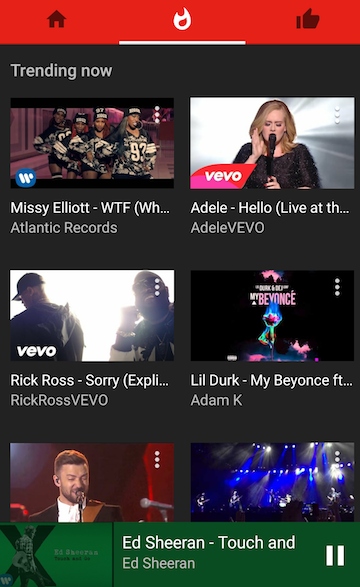
YouTube launched specialized mobile apps for kids, gamers and now for music lovers. YouTube Music replaces the music section from the regular YouTube app and provides a better interface for playing music. There are no comments, you can switch between the video mode and the audio-only mode, the autoplay feature is enabled by default and you can't disable it.

"With YouTube Music, you'll get a completely new type of experience, designed to make discovering music on YouTube easier than ever. No matter where you start in the app, the music will never stop. Every song you play or artist you choose will take you on an endless journey through YouTube's music catalog. (...) The home tab will recommend tracks just for you and create personalized stations based on your tastes," informs the YouTube blog.

You can download YouTube Music from Google Play Store and Apple App Store, but only in the US. If you're not in the US and you manage to install the app, you won't be able to use it without a proxy/VPN service.

YouTube Music works even better if you use YouTube Red, so you get the YouTube Red features for free for 14 days. No ads, background audio, offline music.


Thứ Tư, 28 tháng 10, 2015

YouTube Red Launched

As promised, YouTube Red was launched today in the US. If you use the mobile apps for Android and iOS, you probably noticed that the title changed to "YouTube Red" and there's a new "YouTube Red" section in the settings. YouTube didn't even update the apps: the changes were probably triggered automatically.


There are 3 different ways to sign up for YouTube Red: from YouTube.com or the Android app, from Google Play Music and from YouTube's iOS app. If you use in-app purchases on iOS, you'll spend 30% more every month ($12.99 vs $9.99 regular pricing), so it's not a good idea to do that.


The desktop site has a new logo:


Here are some screenshots from the iPad app:


"With a YouTube Red membership, you’ll experience YouTube without video ads, be able to save videos to watch offline, and play videos in the background on your mobile device, all for $9.99 a month. And just like with our advertising revenue, the majority of revenue we get from YouTube Red memberships will go to our creator community," mentions YouTube's blog.

YouTube Red is free for Google Play Music subscribers and there's a free 30-day trial for US users. For now, YouTube Red is limited to the US and there are some additional restrictions: "if you leave the U.S., you won't be able to save videos offline, videos won't play in the background, and you will see ads. Any videos that you've saved offline before leaving the U.S., will continue to be available offline for 30 days."

Thứ Tư, 21 tháng 10, 2015

YouTube Red

Do you remember Music Key, YouTube's subscription service that allowed you watch ad-free music videos, download them and play music videos in the background? It's now called YouTube Red and it's no longer limited to music videos.

YouTube Red is launching on October 28 in the US and it will bring the features from Music Key to all the YouTube videos. "YouTube Red lets you enjoy videos across all of YouTube without ads, while also letting you save videos to watch offline on your phone or tablet and play videos in the background, all for $9.99 a month. Your membership extends across devices and anywhere you sign into YouTube, including our recently launched Gaming app and a brand new YouTube Music app we're announcing today that will be available soon."


Just like Music Key, YouTube Red will include the Play Music subscription and Play Music subscribers will get access to YouTube Red for free. Of course, YouTube Red will need to be available in your country first.

There's another bonus feature for YouTube Red subscribers: exclusive shows and movies from some of YouTube's biggest stars. Reality shows, drama series, adventure series, scripted comedies, feature-length movies - there's something for everyone.


You can try YouTube Red for free and start a one-month trial. The service launches on October 28 in the US and Google plans to add more countries soon.